How to use the prep checklist
1
Open a recipe and start Cooking Mode
Tap any recipe in your library, then tap Step by Step to launch Cooking Mode.
2
Review the prep checklist
Before the first cooking step appears, you’ll see a checklist of all the prep tasks for this recipe — including prep instructions and oven preheating. Take a moment to read through the whole list so you know what’s coming.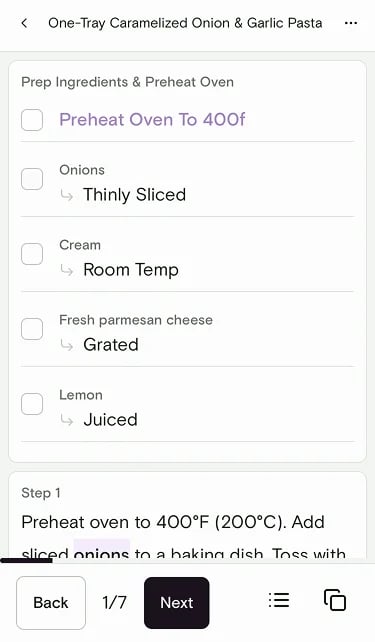
3
Check off each task as you complete it
Work through the prep tasks one by one — chop, dice, measure, preheat. Tap each item to check it off as you go.
4
Proceed to the cooking steps
Once all your prep is done and everything is checked off, move on to the cooking steps. You’re set up for a smooth, interruption-free cooking experience!
View the full ingredients list
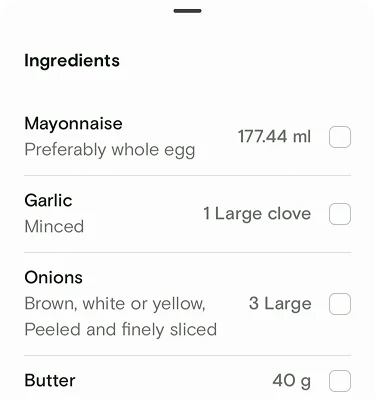
While you’re in Cooking Mode, tap the list icon to open the full ingredients checklist with quantities and prep notes.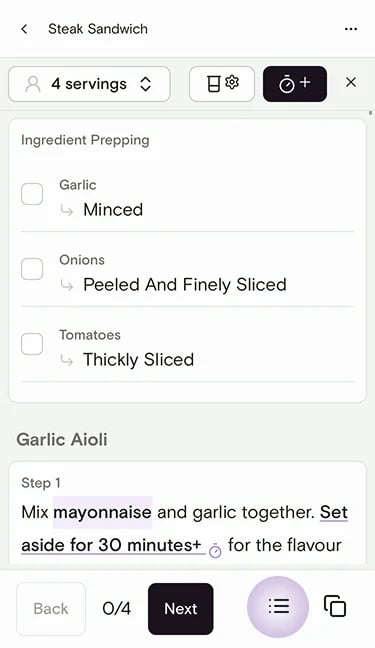
Still need help?
If you have questions or run into anything unexpected, our team is happy to help. Contact supportRelated articles