Souschef extracts recipe information from the video’s description and, when available, the spoken audio. If the recipe isn’t described in either source, the imported recipe may be incomplete.
What you get from a YouTube import
When you import a YouTube cooking video, Souschef extracts recipe information from the video’s title, description, and spoken audio when available:- Ingredient list — scalable to any serving size, with easy measurement conversions
- Step-by-step instructions with video timestamps — jump straight to any moment in the video without scrubbing around
- Smart timers — Souschef automatically detects timing steps so you can set a timer with a single tap
- Shopping list ready in one tap — add all ingredients to your shopping list, automatically organized by aisle
How to import a recipe from YouTube
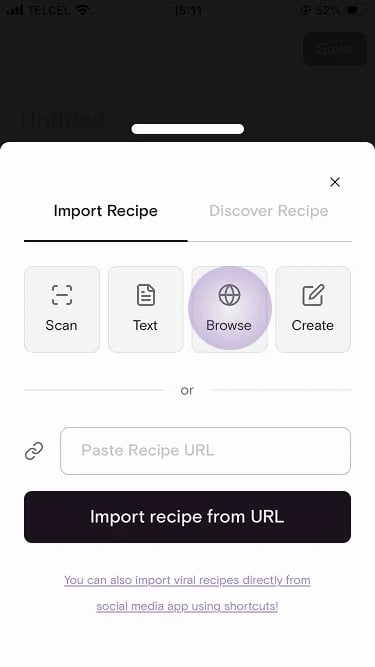
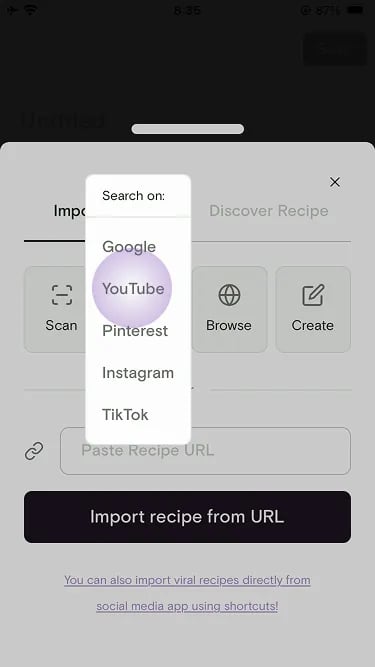
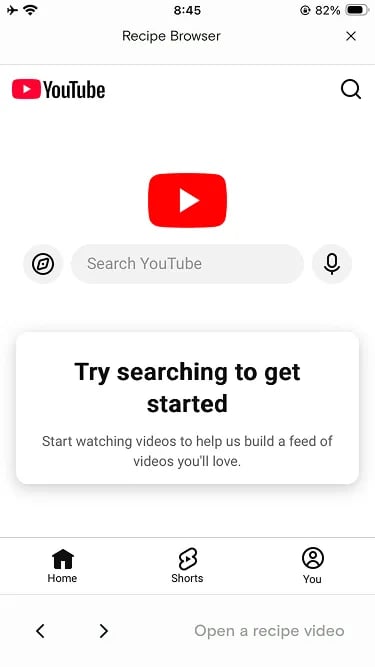
There are three ways to import a YouTube cooking video. Pick whichever works best for you.- Method 2: YouTube Browser
- Method 3: Paste a URL
Already watching a cooking video in the YouTube app? Share it straight to Souschef.
1
Open YouTube and find a cooking video
Browse YouTube and find the cooking video or Short you’d like to import into Souschef.
2
Tap the Share button
Tap Share below the video.
3
Select Souschef from the share sheet
Tap the Souschef icon in the share sheet. Souschef will open and start extracting the recipe automatically.Don’t see Souschef in the share sheet? Follow Add Souschef to your share menu.
4
Keep browsing while Souschef imports
Souschef extracts the recipe from the video’s description and spoken audio when available. Longer videos can take a moment. Imports run in the background. You can keep browsing and Souschef will notify you when the recipe is ready.
5
Review and save the extracted recipe
Check the ingredients and steps, make any edits you want, then save the recipe to your collection.

Souschef plays the original YouTube video in the background whenever you’re cooking from that recipe, so the creator gets credit for every view. It’s a great way to support the people whose recipes you love!