
Searching for a recipe
Finding a recipe takes just a few taps:1
Open the search bar
Open Souschef and tap the search bar at the top of your recipe list.
2
Type a keyword
Type a dish name, a main ingredient, or anything you remember about the recipe.
3
Find your recipe
Results appear as you type, so you’ll usually spot what you’re looking for before you even finish typing.
Browsing your recipe collection
All of your saved recipes are displayed in the main view when you open the app. Scroll through your collection to browse what you’ve got on hand. Use the Saved, Collections, and Imported tabs at the top to switch views. Tap Collections to group recipes into custom lists — like desserts or weekday meals — then open a collection anytime from that tab.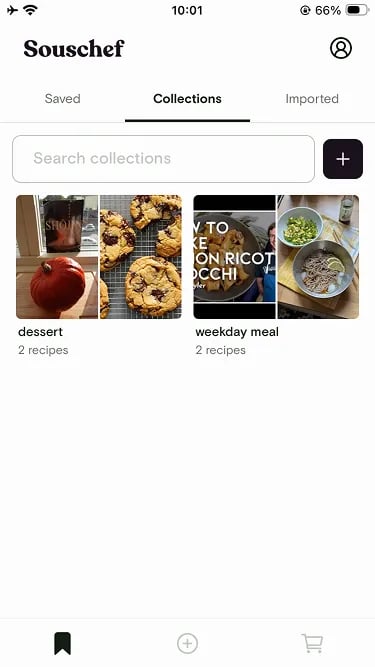
Sort your recipes
Tap the sort button next to the search bar to change how your library is ordered.
- Date added (newest or oldest)
- Last updated (newest or oldest)
- Title (a → z or z → a)
- Calories per serving (high or low)
Filter by tag
Every imported recipe gets AI-suggested tags — cuisine, meal type, diet, main ingredient, cooking method, and more. Tap the filter button next to the search bar to open the filter drawer and narrow the list to just the recipes that match.
Filter by calories
Cooking lighter tonight? In the same filter drawer, use the calories per serving slider to show only recipes in a certain range. Nutrition data comes from source websites when available, and can be generated with AI for any recipe that’s missing it.Still need help?
If you have questions or run into anything unexpected, our team is happy to help. Contact supportRelated articles