
What Cooking Mode does
Step-by-step navigation
Move through your recipe one step at a time so you always know exactly where you are and what comes next.
Keeps your screen awake
Your phone stays lit the entire time you’re in Cooking Mode — so you tap less just to keep the screen on.
Smart timers
Time mentions in recipe steps are automatically detected and turned into one-tap countdown timers.
Hands-free voice commands
Turn on the mic to move between steps, start timers, hear instructions, and check amounts by voice — see Hands-Free Cooking.
Ingredient referencing
Tap any ingredient name in a step to instantly see its quantity — no scrolling back to the top of the recipe.
Prep checklist
All prep tasks (like chopping, mincing, or preheating) are listed upfront as a checklist before cooking begins.
Cook several recipes
Pin up to 5 recipes in a now-cooking tray so you can jump between a main dish and sides.
Serving adjustments
Change the number of servings right inside Cooking Mode and all ingredient quantities recalculate automatically.
How to start Cooking Mode
1
Open a recipe
Tap any recipe in your Souschef library to open it.
2
Tap Step by Step
Tap Step by Step to launch Cooking Mode.
3
Complete the prep checklist
Before the first cooking step, you’ll see a checklist of all the prep tasks for this recipe — including things like preheating the oven. Work through the list and check each item off as you go.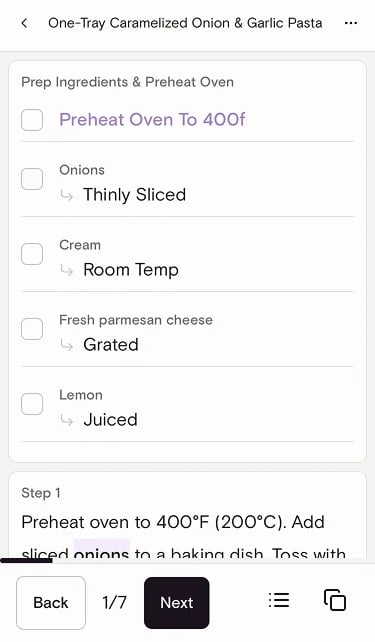
4
Follow the steps
Tap Next to move through each cooking step at your own pace. Souschef guides you from start to finish. Tap a highlighted time mention to start a timer without leaving the recipe.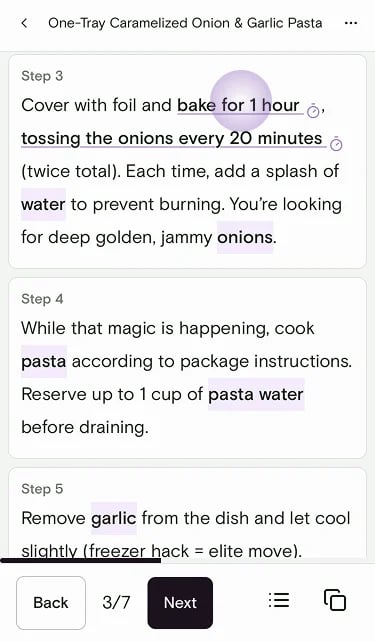
5
Finish cooking
When you’re done, you can add what you made to your Journal. Souschef may ask Add to Journal? — skip it if you don’t want an entry.
During cooking
Once you’re in Cooking Mode, here are a few handy things you can do:Adjust servings
Tap the servings control at the top to scale the recipe while you cook. Ingredient quantities update automatically.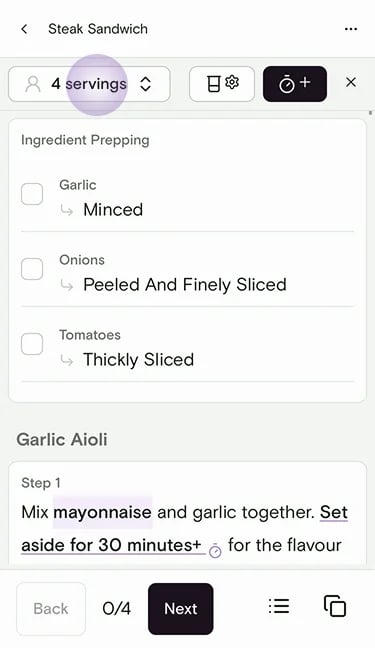
Convert measurements
Tap the convert units button (beaker icon) to switch between measurement systems without leaving Cooking Mode.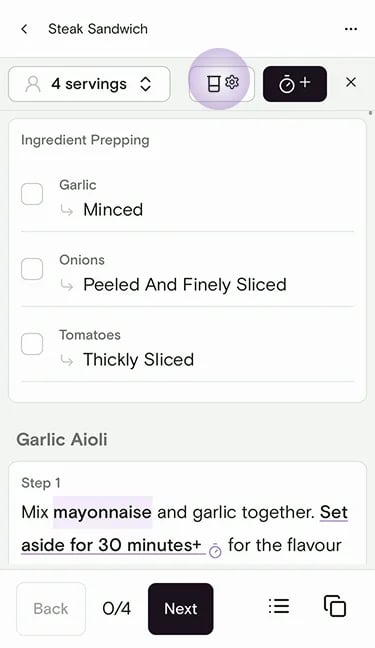
Check an ingredient quantity
Tap any highlighted ingredient name in a step to see how much you need. From there you can also search for more info, find a substitution, or locate it in a supermarket.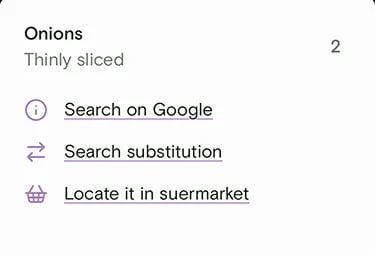
View the full ingredients list
Tap the list icon to open the full ingredients checklist with quantities.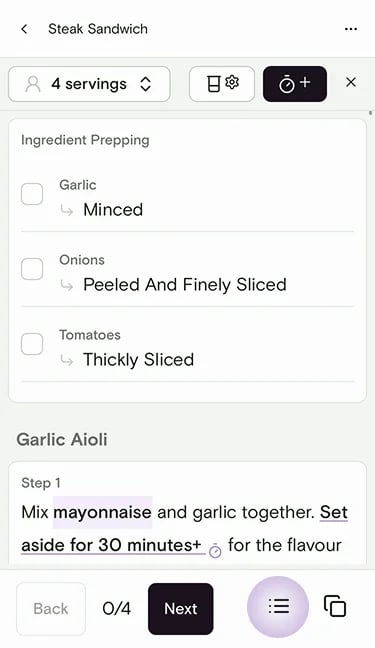
Start a timer
When a step mentions a time (like “simmer for 10 minutes”), tap it to kick off a countdown right in the app. You can also add a timer manually with the timer button. See How recipe timers work for details.Cook a main dish and sides
Cooking more than one recipe? Pin up to 5 recipes before you start. A pill with stacked thumbnails stays over Bookmarks and recipe screens so you can jump between them. From the workspace, start Step by Step on any pinned recipe — your screen stays awake while you cook.Still need help?
If you have questions or run into anything unexpected, our team is happy to help. Contact supportRelated articles