How to adjust servings
1
Open a recipe
Tap any recipe in your Souschef library to open it.
2
Tap the servings control
On the Ingredients tab, tap the servings button (for example, 9 cookies).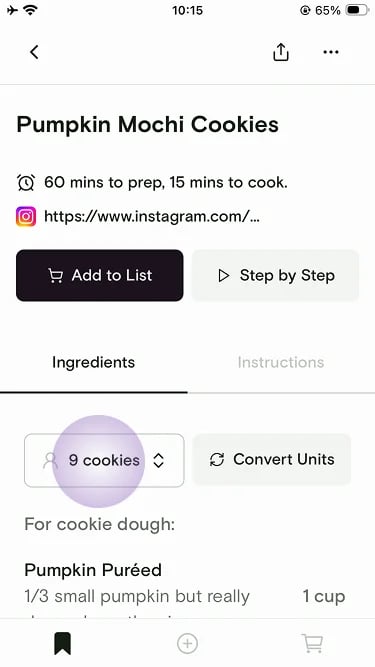
3
Adjust and apply
Use the up and down arrows — or type a number — to set the new serving size, then tap Apply. All ingredient quantities recalculate automatically.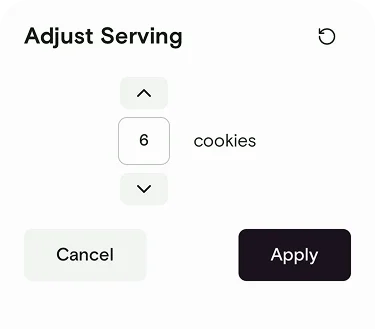
- Inside Cooking Mode — change servings on the fly while you’re actively cooking, and all ingredient references update in real time.
- When adding to your shopping list — adjust servings before adding ingredients to make sure you buy exactly the right amounts at the store.
Still need help?
If you have questions or run into anything unexpected, our team is happy to help. Contact supportRelated articles