> ## Documentation Index
> Fetch the complete documentation index at: https://docs.trysouschef.com/llms.txt
> Use this file to discover all available pages before exploring further.
# Import recipes from screenshots or photos in Souschef
> Use Souschef's Scan feature to import recipes from photos, screenshots, or printed recipe cards — just point your camera and let Souschef do the work.
Included in Free plan
Importing from photos is included in the free version of Souschef.
Got a recipe saved as a screenshot, a photo of a cookbook, or even a printed recipe card on the fridge? Souschef's Scan feature lets you digitize any recipe quickly and easily — just take a photo or choose one from your library, and Souschef will extract the ingredients and instructions for you. No more hunting through camera rolls or squinting at printed pages!
## How to scan and import a recipe
Open the Souschef app, tap the **+** button, and select **Scan**.
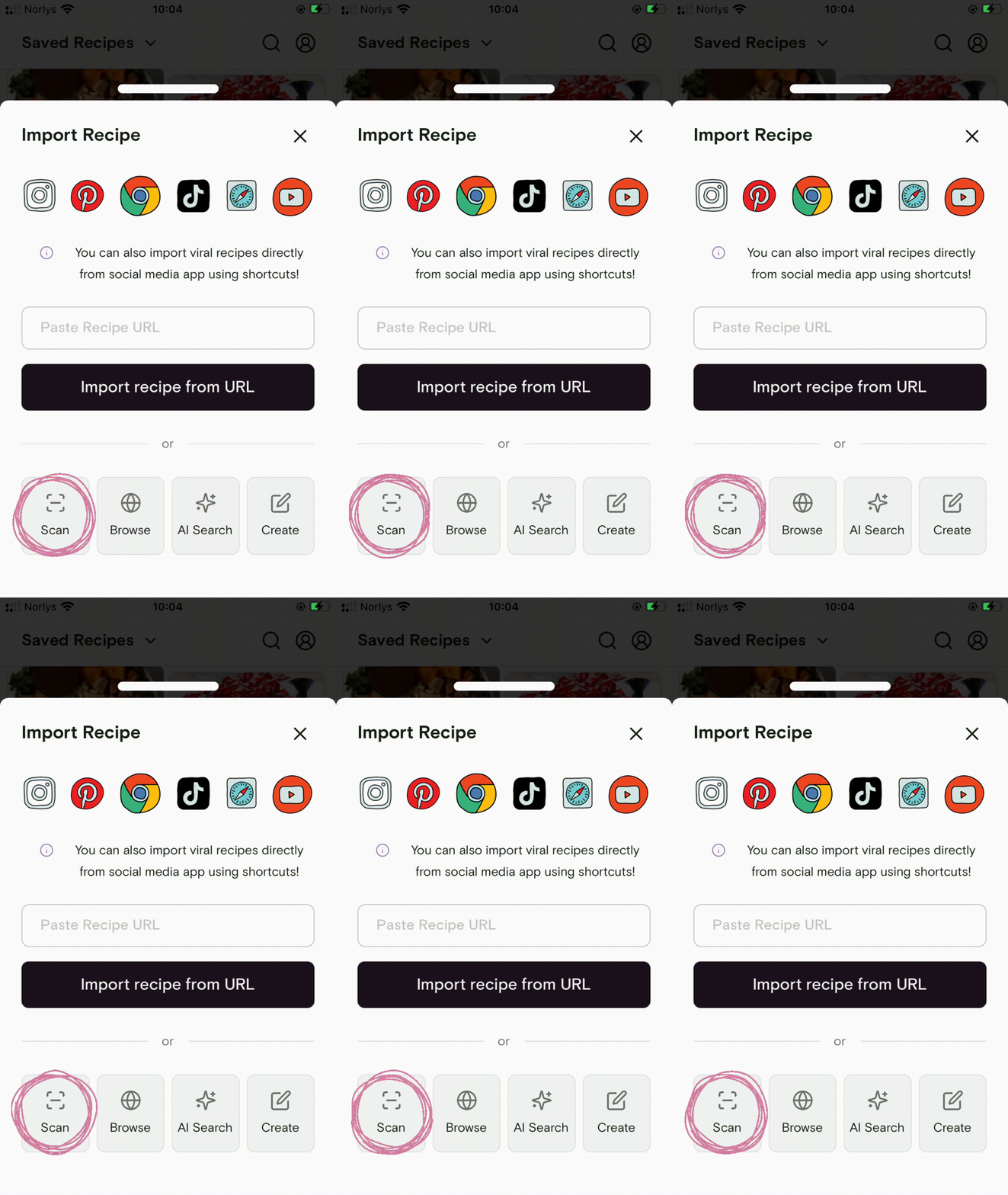 Take a new photo or select existing ones from your library. Make sure the ingredients and instructions are clearly visible.
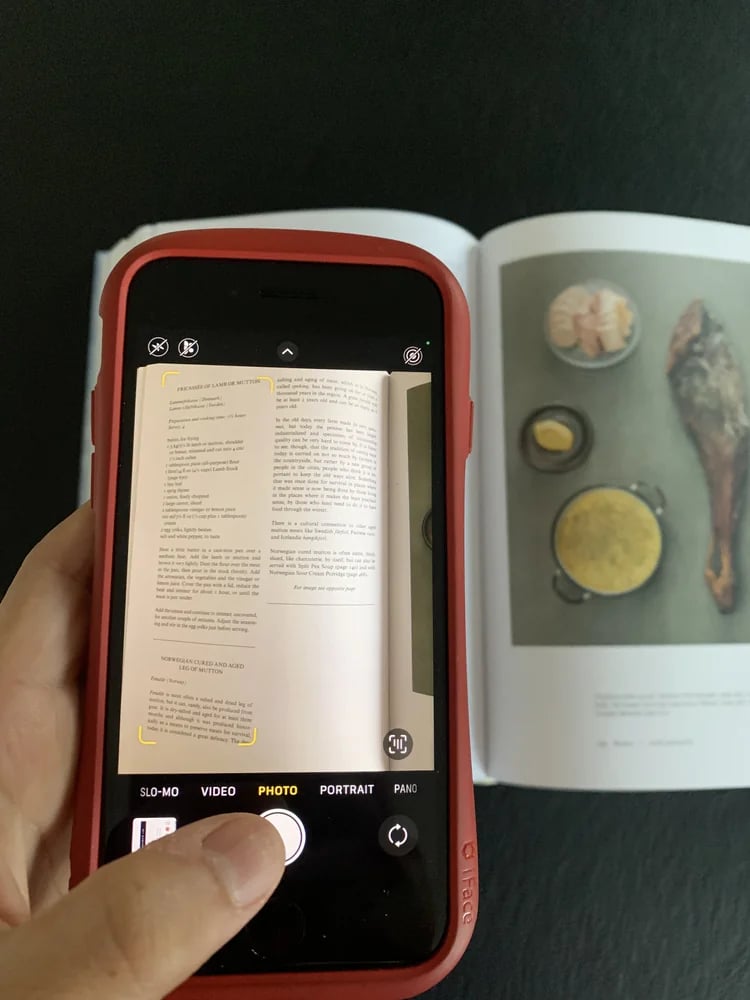 If your recipe spans more than one page — like a cookbook spread or a long printed recipe — you can upload up to 3 photos at once.
Crop the photo so it includes only one recipe, especially if your image contains more than one.
If your recipe spans more than one page — like a cookbook spread or a long printed recipe — you can upload up to 3 photos at once.
Crop the photo so it includes only one recipe, especially if your image contains more than one.
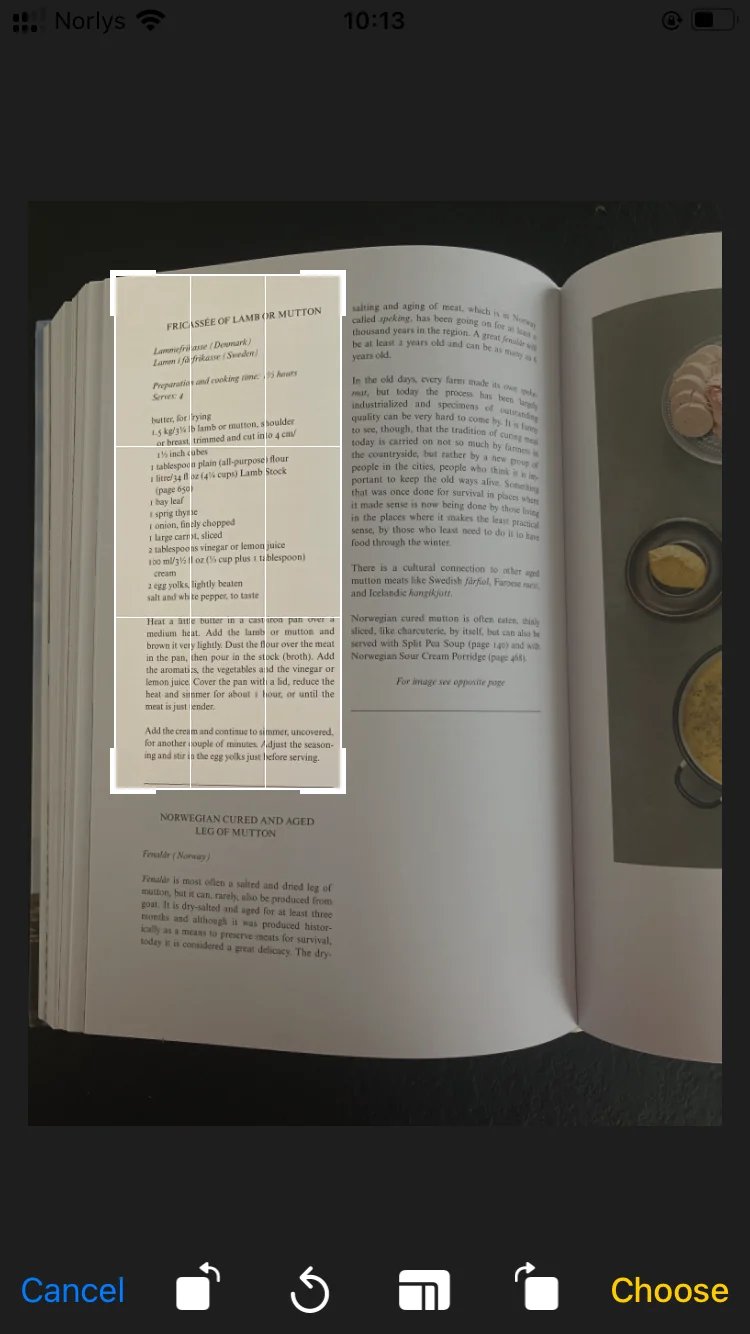 Cropping to only the relevant recipe helps Souschef extract ingredients and instructions more accurately. Make sure the cropped photo shows just one recipe — not multiple recipes or unrelated text.
Tap **Proceed** and Souschef will automatically scan and extract the recipe in just a few seconds.
Review the extracted details, make any quick edits, and tap **Save**. Your recipe is now searchable, shareable, and ready to cook anytime.
Make sure the ingredients and instructions are clearly visible in the photo. Good lighting makes a big difference — try taking the photo in a well-lit area, or increase your screen brightness if you're scanning a screenshot.
## Troubleshooting
If the scan came back with missing or incorrect details, you can always edit any field inside Souschef before saving. For more common issues, see [Why a recipe import might fail](/importing/why-import-fails).
***
## Still need help?
Our team is always happy to assist — [contact support](/troubleshooting/contact-support).
## Related articles
* [Import from plain text](/importing/import-from-plain-text)
* [Pantry](/using/pantry)
* [Why a recipe import might fail](/importing/why-import-fails)
* [Organize and search your recipes](/using/organize-and-search)
* [All supported recipe sources](/importing/supported-sources)
Cropping to only the relevant recipe helps Souschef extract ingredients and instructions more accurately. Make sure the cropped photo shows just one recipe — not multiple recipes or unrelated text.
Tap **Proceed** and Souschef will automatically scan and extract the recipe in just a few seconds.
Review the extracted details, make any quick edits, and tap **Save**. Your recipe is now searchable, shareable, and ready to cook anytime.
Make sure the ingredients and instructions are clearly visible in the photo. Good lighting makes a big difference — try taking the photo in a well-lit area, or increase your screen brightness if you're scanning a screenshot.
## Troubleshooting
If the scan came back with missing or incorrect details, you can always edit any field inside Souschef before saving. For more common issues, see [Why a recipe import might fail](/importing/why-import-fails).
***
## Still need help?
Our team is always happy to assist — [contact support](/troubleshooting/contact-support).
## Related articles
* [Import from plain text](/importing/import-from-plain-text)
* [Pantry](/using/pantry)
* [Why a recipe import might fail](/importing/why-import-fails)
* [Organize and search your recipes](/using/organize-and-search)
* [All supported recipe sources](/importing/supported-sources)