> ## Documentation Index
> Fetch the complete documentation index at: https://docs.trysouschef.com/llms.txt
> Use this file to discover all available pages before exploring further.
# Souschef: supported devices, platforms, and requirements
> Get the full Souschef experience on iPhone, iPad, and Android. Shared recipe links also open in a lightweight web viewer in any browser.
The full Souschef experience is available as a free app for **iOS** and **Android**. Shared recipe links also open in a lightweight web viewer, so anyone can read a recipe in their browser without installing the app.
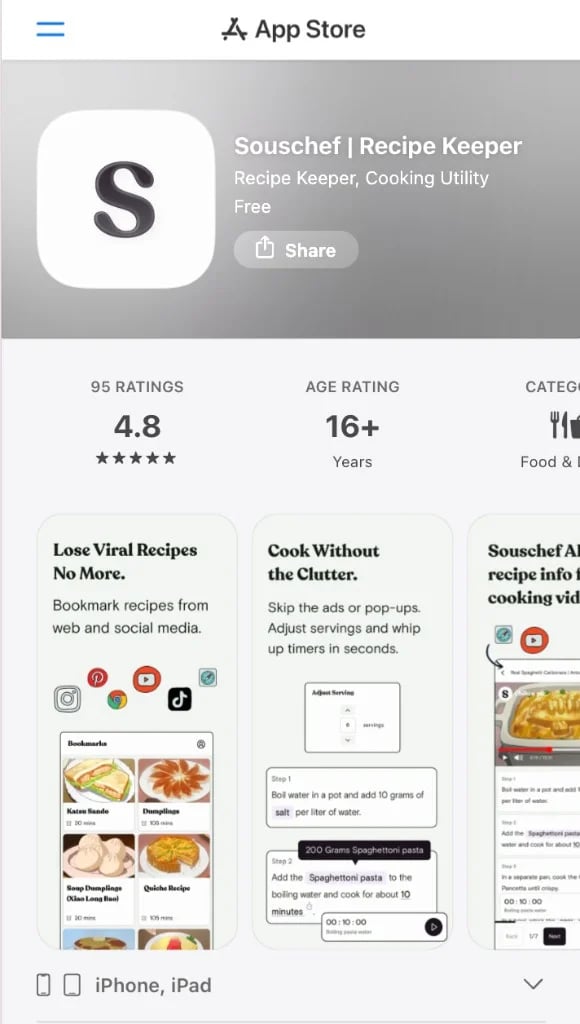
## iOS (iPhone & iPad)
Souschef is available for iPhone and iPad running a recent version of iOS/iPadOS. It was the first platform Souschef launched on, so the iOS version is well-established and packed with features.
[Download on the App Store →](https://apps.apple.com/app/souschef-recipe-organizer/id6468939420)
 ## Android
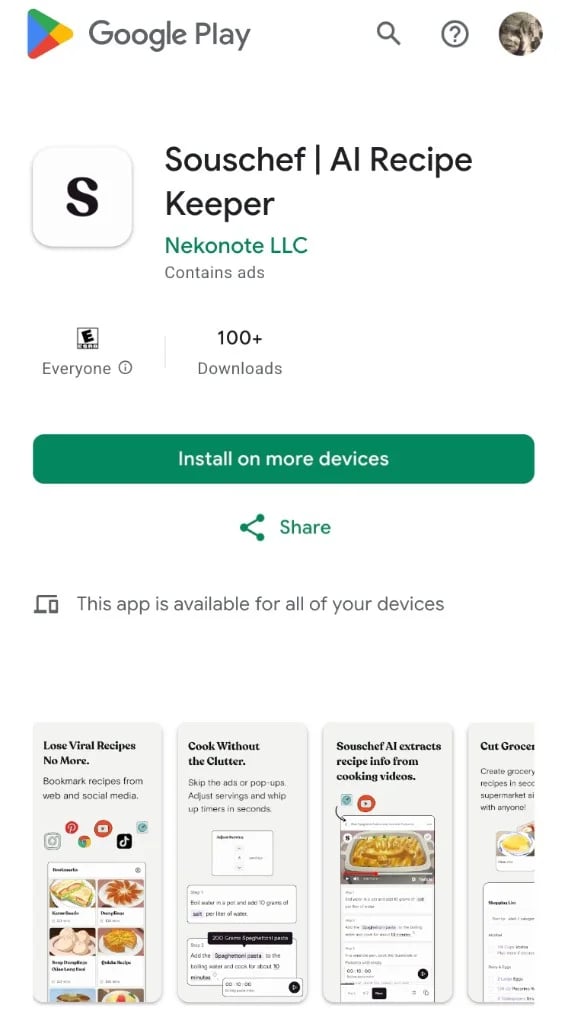
Android support arrived in **February 2025**, bringing Souschef to Android phones and tablets. If you've been waiting to try it on your Android device, now's the time!
[Get it on Google Play →](https://play.google.com/store/apps/details?id=com.souschef.app)
## Android
Android support arrived in **February 2025**, bringing Souschef to Android phones and tablets. If you've been waiting to try it on your Android device, now's the time!
[Get it on Google Play →](https://play.google.com/store/apps/details?id=com.souschef.app)
 ## Web (shared recipes)
Souschef includes a lightweight web experience designed primarily for recipe sharing.
When someone opens a shared Souschef recipe link in their browser, they can:
* View the recipe
* Read ingredients and instructions
* [Adjust serving sizes](/using/adjust-servings)
* Switch between supported [measurement systems](/using/convert-measurements) (Metric, US Customary, and more)
The web version is intended for viewing and sharing recipes with people who don't have the app installed. It is not a full desktop app.
To import recipes, organize your library, and access the full feature set, use
the iOS or Android app.
### Features that require the mobile app
The full Souschef experience is available only in the iOS and Android apps. Features that currently require the mobile app include:
* Importing recipes
* Organizing your recipe library
* [Cooking Mode](/using/cooking-mode)
* [Shopping Lists](/using/shopping-list)
* [Pantry](/using/pantry)
* [AI Discovery](/using/ai-discovery)
* [AI Translation](/using/ai-translation)
* [AI Tagging](/using/ai-tagging)
* Account management
* Subscription management
## Frequently asked questions
You can start importing and cooking with Souschef right away. Creating an account may enable additional features such as syncing your recipes across devices — check the app for the latest options.
Yes! Souschef works on both iOS tablets (iPad) and Android tablets. It's a
great way to prop your device up on the kitchen counter and follow along with
a recipe on a bigger screen.
Yes. Souschef includes a lightweight web version for viewing shared recipes.
When someone opens a shared recipe link in their browser, they can read the recipe, adjust serving sizes, and switch measurement systems without installing the app.
To import recipes, organize your library, use Cooking Mode, Pantry, Shopping Lists, AI features, and the rest of the Souschef experience, you'll need the iOS or Android app.
Yes! Souschef is free to download and includes almost all of its features.
Free users can import up to **3 recipes each week** and may see ads during recipe imports. Every recipe you import is yours to keep — recipes don't expire, and the weekly limit only affects new imports.
[Souschef Plus](/billing/subscription-benefits) removes the weekly import limit and provides an ad-free import experience.
Souschef Plus also helps support ongoing development of the app.
Most features—including Cooking Mode, Shopping Lists, Pantry, Nutrition, AI Tagging, AI Recipe Translation, AI Discovery, and recipe organization—are available on the free plan.
See [Free vs Souschef Plus](/billing/free-plan) for a complete comparison.
***
## Still need help?
Have a question that's not answered here? Head over to [Contact Support](/troubleshooting/contact-support) and our team will be happy to help.
**Related articles:**
* [What is Souschef?](/getting-started/what-is-souschef)
* [Import your first recipe](/getting-started/import-your-first-recipe)
* [Free vs Souschef Plus](/billing/free-plan)
* [Souschef Plus subscription benefits](/billing/subscription-benefits)
## Web (shared recipes)
Souschef includes a lightweight web experience designed primarily for recipe sharing.
When someone opens a shared Souschef recipe link in their browser, they can:
* View the recipe
* Read ingredients and instructions
* [Adjust serving sizes](/using/adjust-servings)
* Switch between supported [measurement systems](/using/convert-measurements) (Metric, US Customary, and more)
The web version is intended for viewing and sharing recipes with people who don't have the app installed. It is not a full desktop app.
To import recipes, organize your library, and access the full feature set, use
the iOS or Android app.
### Features that require the mobile app
The full Souschef experience is available only in the iOS and Android apps. Features that currently require the mobile app include:
* Importing recipes
* Organizing your recipe library
* [Cooking Mode](/using/cooking-mode)
* [Shopping Lists](/using/shopping-list)
* [Pantry](/using/pantry)
* [AI Discovery](/using/ai-discovery)
* [AI Translation](/using/ai-translation)
* [AI Tagging](/using/ai-tagging)
* Account management
* Subscription management
## Frequently asked questions
You can start importing and cooking with Souschef right away. Creating an account may enable additional features such as syncing your recipes across devices — check the app for the latest options.
Yes! Souschef works on both iOS tablets (iPad) and Android tablets. It's a
great way to prop your device up on the kitchen counter and follow along with
a recipe on a bigger screen.
Yes. Souschef includes a lightweight web version for viewing shared recipes.
When someone opens a shared recipe link in their browser, they can read the recipe, adjust serving sizes, and switch measurement systems without installing the app.
To import recipes, organize your library, use Cooking Mode, Pantry, Shopping Lists, AI features, and the rest of the Souschef experience, you'll need the iOS or Android app.
Yes! Souschef is free to download and includes almost all of its features.
Free users can import up to **3 recipes each week** and may see ads during recipe imports. Every recipe you import is yours to keep — recipes don't expire, and the weekly limit only affects new imports.
[Souschef Plus](/billing/subscription-benefits) removes the weekly import limit and provides an ad-free import experience.
Souschef Plus also helps support ongoing development of the app.
Most features—including Cooking Mode, Shopping Lists, Pantry, Nutrition, AI Tagging, AI Recipe Translation, AI Discovery, and recipe organization—are available on the free plan.
See [Free vs Souschef Plus](/billing/free-plan) for a complete comparison.
***
## Still need help?
Have a question that's not answered here? Head over to [Contact Support](/troubleshooting/contact-support) and our team will be happy to help.
**Related articles:**
* [What is Souschef?](/getting-started/what-is-souschef)
* [Import your first recipe](/getting-started/import-your-first-recipe)
* [Free vs Souschef Plus](/billing/free-plan)
* [Souschef Plus subscription benefits](/billing/subscription-benefits)