> ## Documentation Index
> Fetch the complete documentation index at: https://docs.trysouschef.com/llms.txt
> Use this file to discover all available pages before exploring further.
# Add Souschef to your phone's share menu
> Add Souschef to your iOS or Android share sheet and save any recipe with a single tap from Instagram, Safari, Chrome, TikTok, and more.
The fastest way to save a recipe is never having to leave the app you're already in. When you pin Souschef to your phone's share menu, a single tap on the Share button in Instagram, TikTok, Facebook, YouTube, Safari, Chrome, or any other app is all it takes to send a recipe straight to your collection. It takes less than a minute to set up, and you'll wonder how you ever lived without it.
Open Safari (or any browser) and navigate to any webpage. Tap the **Share** button — it looks like a box with an arrow pointing upward, and you'll usually find it at the bottom of the screen.
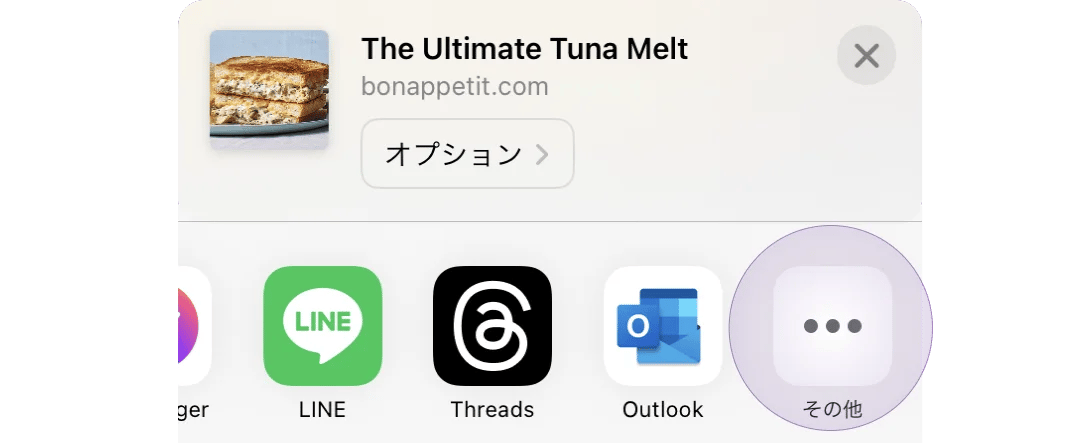
 In the row of app icons that appears in the share sheet, swipe right until you see the **More** button (it looks like three dots). Tap it.
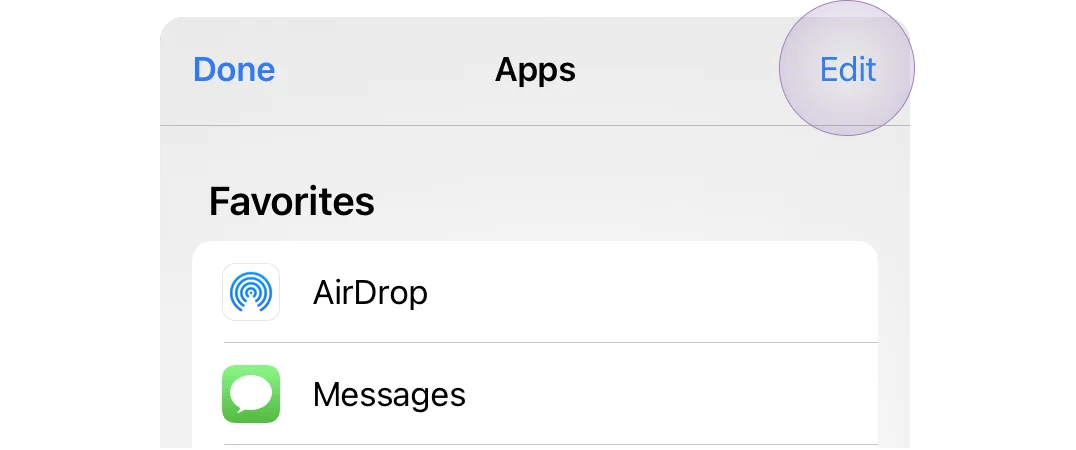
 In the top-right corner of the screen that appears, tap **Edit**. This lets you customise which apps appear in your share menu.
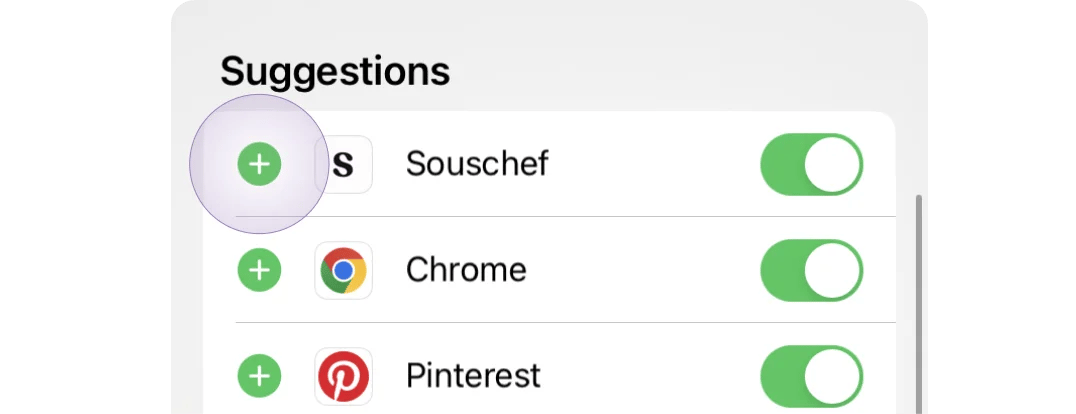
 Scroll down through the list until you find **Souschef**. Tap the green **+** button to its left to add it to your favourites.
 If Souschef doesn't appear in the list, try restarting your phone. A restart typically refreshes your share options and will make Souschef show up.
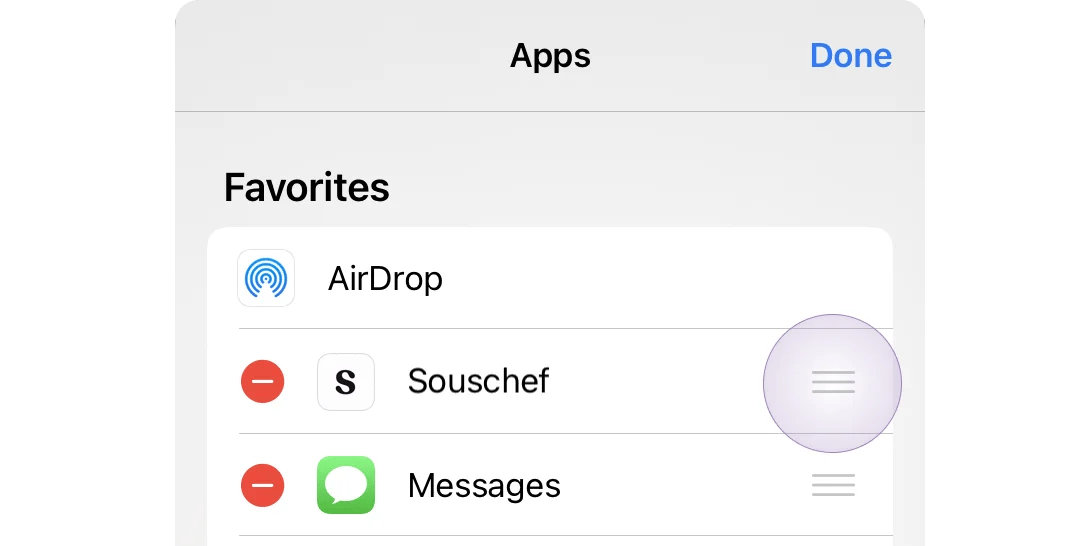
Once it's in your favourites, press and hold the three-line handle to the right of Souschef and drag it to the top of the list. Tap **Done** to save your changes.
If Souschef doesn't appear in the list, try restarting your phone. A restart typically refreshes your share options and will make Souschef show up.
Once it's in your favourites, press and hold the three-line handle to the right of Souschef and drag it to the top of the list. Tap **Done** to save your changes.
 Open Chrome (or any browser) and navigate to any webpage. Tap the **Share** button — you'll usually find it in the browser's menu or toolbar.
 The share sheet will pop up showing a row of apps. Scroll down past the top row to see the full list of apps that can receive shared content. Find **Souschef** and press and hold the icon until a small menu appears.
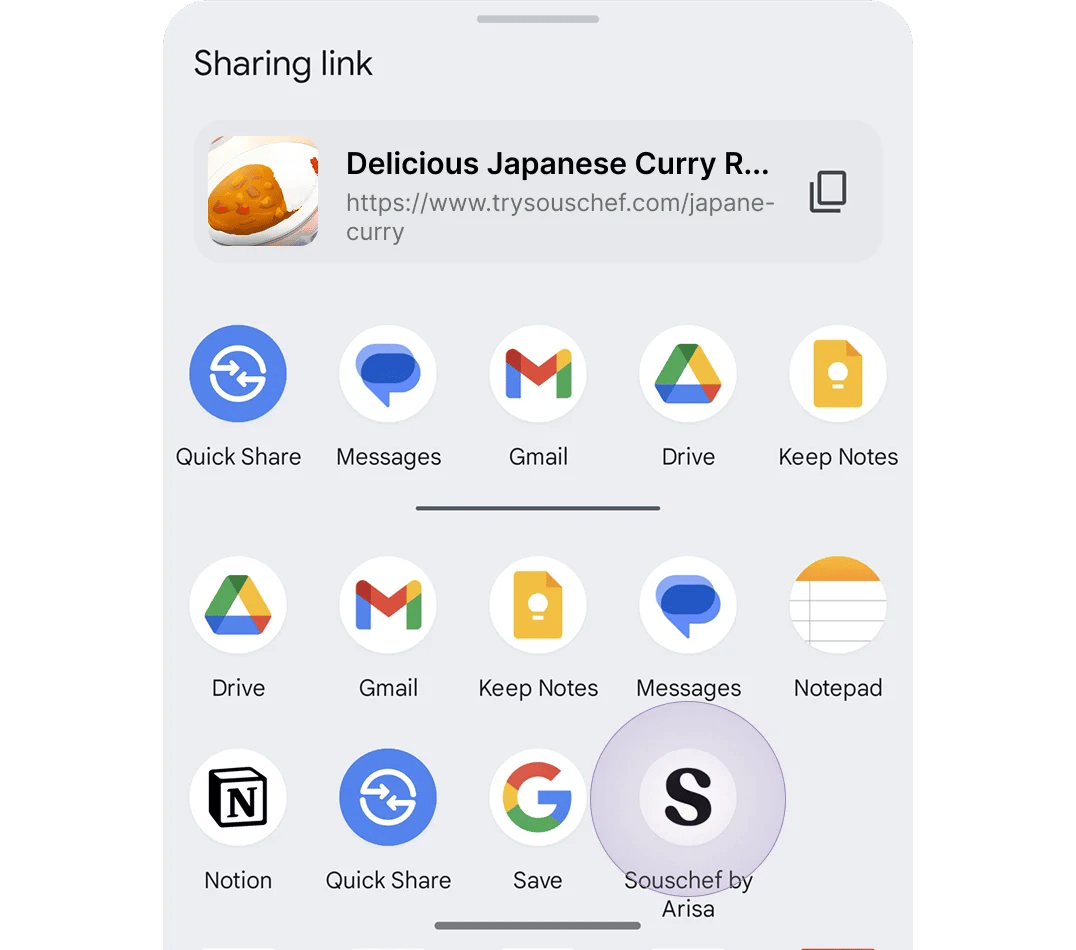 Tap **Pin Souschef** from the menu. Souschef will now appear at the top of your share sheet every time you share something.
 Once pinned, you'll see Souschef's icon whenever you tap Share in any app — including Instagram, TikTok, Facebook, YouTube, Pinterest, and recipe websites. Just tap it to send the recipe straight to your collection.
***
## Still need help?
If Souschef isn't showing up in your share menu or you're running into trouble, our team is here for you — visit [Contact Support](/troubleshooting/contact-support) to get in touch.
**Related articles:**
* [Import your first recipe](/getting-started/import-your-first-recipe)
* [Import a recipe from Instagram](/importing/import-from-instagram)
* [Import a recipe from Facebook](/importing/import-from-facebook)
* [Import a recipe from TikTok](/importing/import-from-tiktok)
Once pinned, you'll see Souschef's icon whenever you tap Share in any app — including Instagram, TikTok, Facebook, YouTube, Pinterest, and recipe websites. Just tap it to send the recipe straight to your collection.
***
## Still need help?
If Souschef isn't showing up in your share menu or you're running into trouble, our team is here for you — visit [Contact Support](/troubleshooting/contact-support) to get in touch.
**Related articles:**
* [Import your first recipe](/getting-started/import-your-first-recipe)
* [Import a recipe from Instagram](/importing/import-from-instagram)
* [Import a recipe from Facebook](/importing/import-from-facebook)
* [Import a recipe from TikTok](/importing/import-from-tiktok)